
An AI That Can SEE, HEAR, and CONTROL Hardware
With RDK X5, a camera, GPIO, and cloud API services from DeepSeek and ElevenLabs, the AI assistant becomes a compact edge AI project.
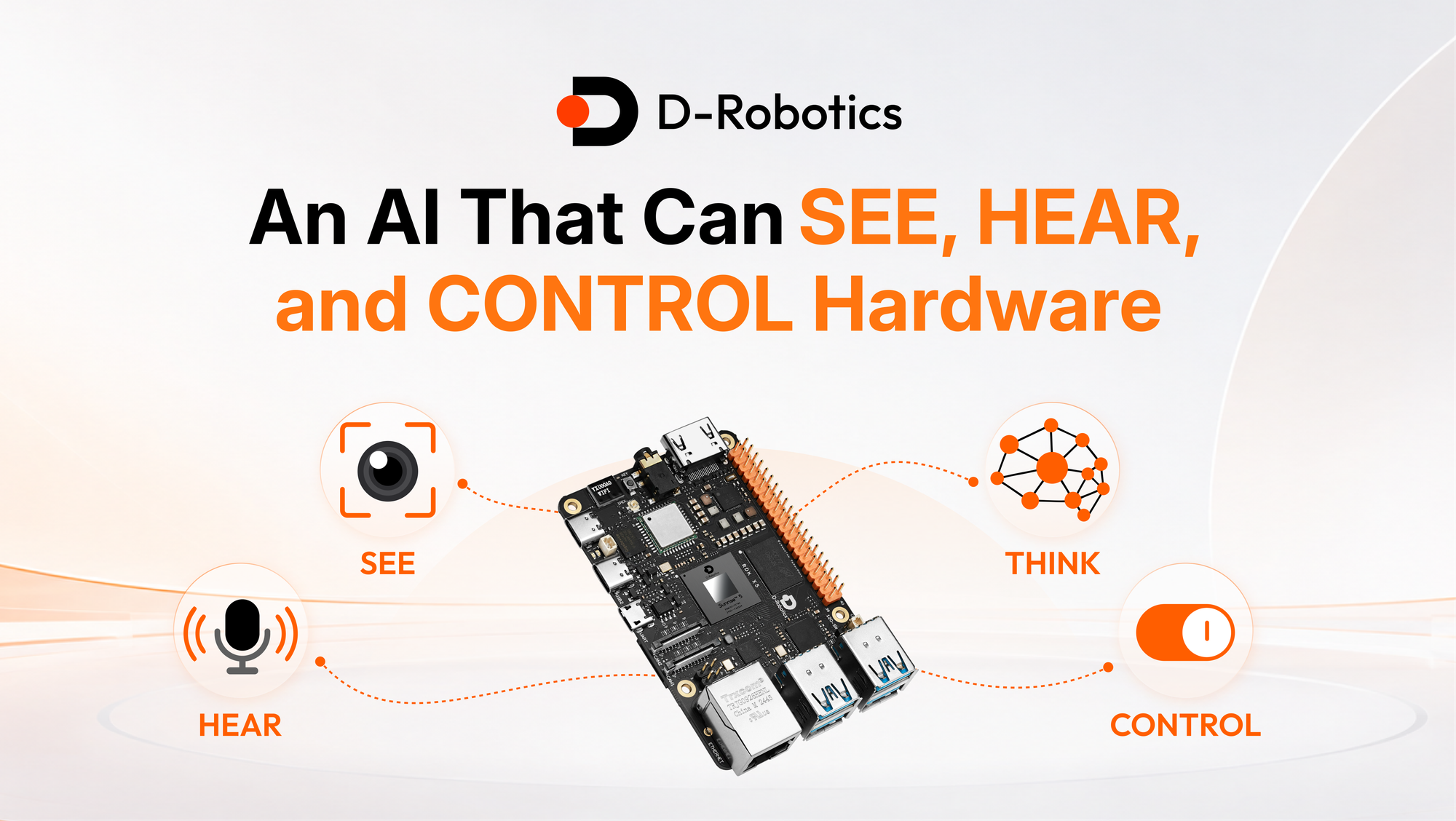
The most useful AI assistant is not limited to text. It can hear natural speech, see the environment, choose the right action, control real hardware, and speak back naturally. With RDK X5, a camera, GPIO, and cloud API services from DeepSeek and ElevenLabs, that assistant becomes a compact edge AI project. RDK X5 handles local camera and audio capture, edge vision inference, GPIO, and device control, while cloud APIs provide reasoning, speech-to-text, and text-to-speech.
From Fixed Commands to Natural Intent
Traditional automation systems usually depend on fixed commands. If the code expects “turn on the light,” a different phrase such as “light, please” or “kill the light” may fail unless every variation is manually programmed. A real AI assistant should work differently. It should understand intent, map the request to available actions, and execute the right operation without a long list of hard-coded phrases.
Here comes a project designed around that idea. The assistant can turn an LED on or off, take a picture, describe visible objects, translate text, answer questions, tell jokes, generate stories, and respond with realistic speech. More importantly, it can understand casual language. “Can you turn on the light for me?”, “Light, please,” and “Turn on the LED” all point to the same hardware action.
The key is to separate user language from device functions. Instead of writing an if statement for every possible phrase, define the actions the assistant is allowed to use. The AI model decides which action matches the user’s intent. RDK X5 then executes the physical operation.
Why RDK X5 Is the Edge AI Base
RDK X5 is built for robotics and edge intelligence development. It delivers 10 TOPS of BPU computing power, an 8-core Arm Cortex-A55 CPU at 1.5 GHz, 4GB or 8GB LPDDR4 memory options, and Ubuntu 22.04 support. For vision and robotics, it also includes dual 4-lane MIPI CSI inputs, USB 3.0 host ports, a Gigabit Ethernet RJ45 port with PoE, Wi-Fi 6, Bluetooth 5.4, CAN FD, and flexible GPIO expansion.
Those details matter because an AI assistant that sees, hears, and controls hardware needs more than a chat model. It needs camera input, audio capture, local processing, GPIO control, network access, and enough compute to keep the system responsive. RDK X5 brings those pieces together in one development kit.
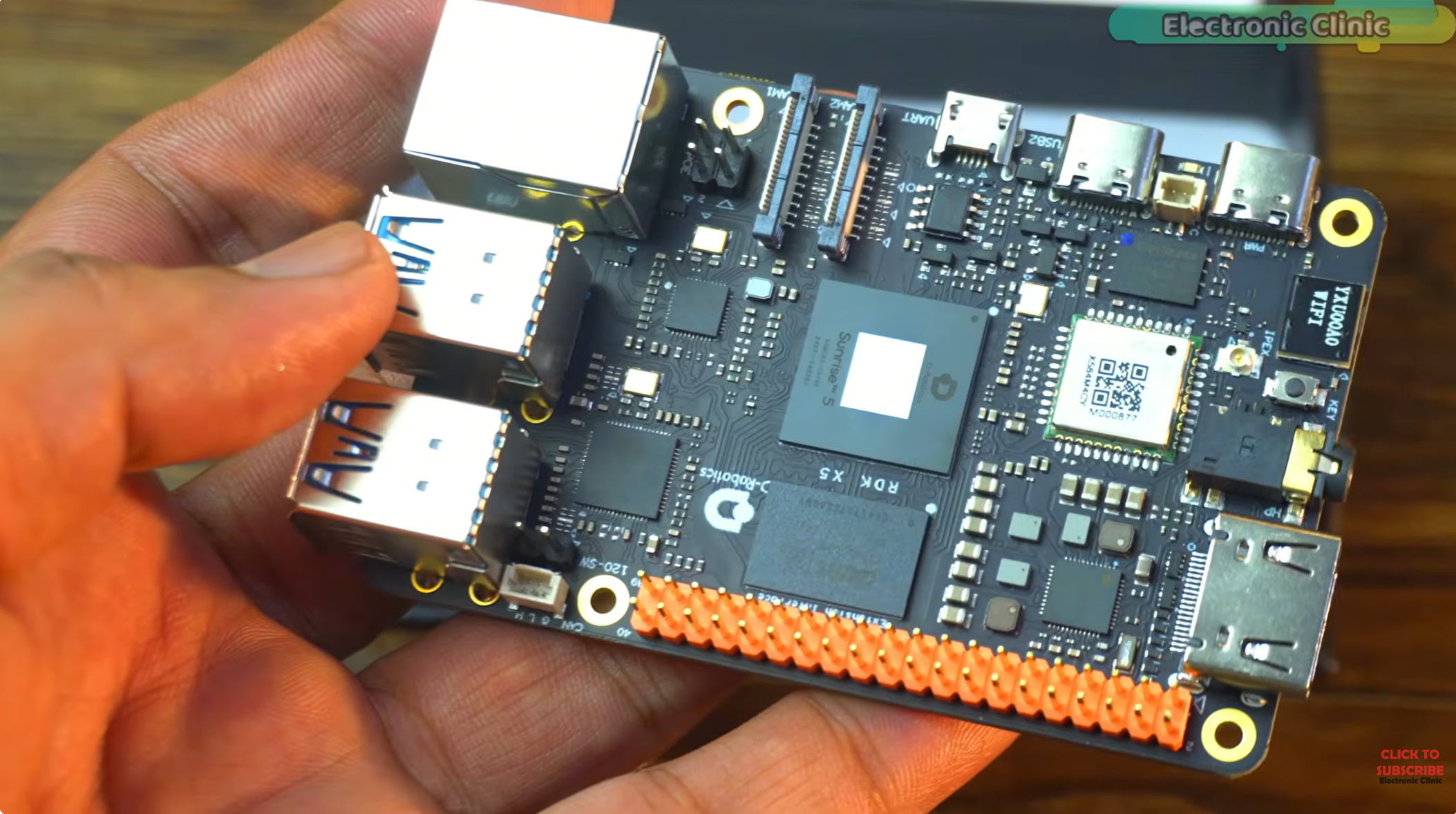
The board’s dedicated BPU is especially important for computer vision. A Raspberry Pi can be a useful general-purpose board, but AI acceleration often requires extra hardware. RDK X5 includes the AI acceleration unit directly on the board, reducing wiring and setup complexity for object detection, perception, and real-time inference projects.
Hardware Setup
The hardware layout is intentionally simple. A USB camera provides the visual input. In this setup, the camera also includes a microphone, so no extra microphone module is required. A small speaker is connected for voice output. The LED is connected to physical pin 37 through an appropriate current-limiting resistor, and a push button is connected to physical pin 11 with a defined pull-up or pull-down configuration to prevent a floating input. When using physical pin numbers, verify the board pinout and confirm that pinmux is set to GPIO mode. The RDK X5 40-pin GPIO uses 3.3V logic, so never apply a 5V signal to a GPIO input.
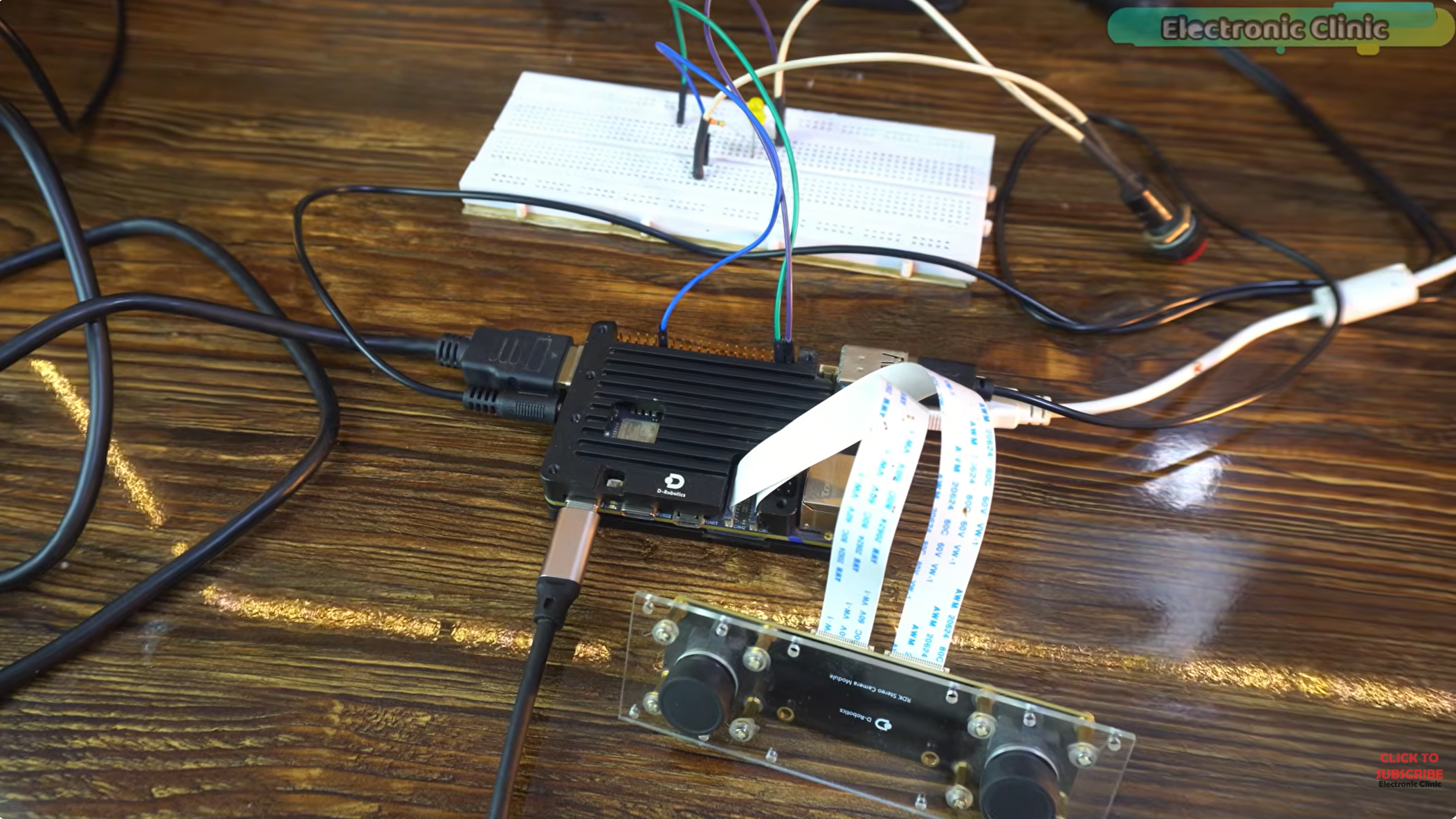
The button controls when the assistant listens. Press and hold the button to start recording. Speak the command while holding it. Release the button when the command is finished. The assistant then processes the recording, decides what to do, performs any required hardware action, and speaks the response.
This push-to-talk pattern is useful for prototypes because it avoids constant background listening. It also makes testing easier: every audio recording has a clear start and end. Later versions can add wake-word detection or continuous listening, but a button is the most reliable first step for debugging the full pipeline.
The AI Stack
The assistant uses three main software capabilities. First, speech-to-text turns recorded audio into text. ElevenLabs can provide speech-to-text, and it can also generate natural text-to-speech output. Second, a DeepSeek model acts as the reasoning layer. It receives the user’s text, the available action list, and the current visual context. Third, local code on RDK X5 controls GPIO and camera actions.
The assistant records audio in WAV format at a 16 kHz sample rate, which is a practical format for speech recognition. Once recording finishes, the audio is sent to speech-to-text. The resulting text is passed to the reasoning model.
The reasoning prompt should be explicit. It should tell the model which actions exist, what each action does, and how to choose between answering conversationally and controlling hardware. For example, the allowed actions might include turn_led_on, turn_led_off, capture_photo, and describe_scene. The AI does not need to know how to toggle the GPIO pin itself. It only needs to choose the correct intent. The local RDK X5 code performs the action.
Add Vision Context
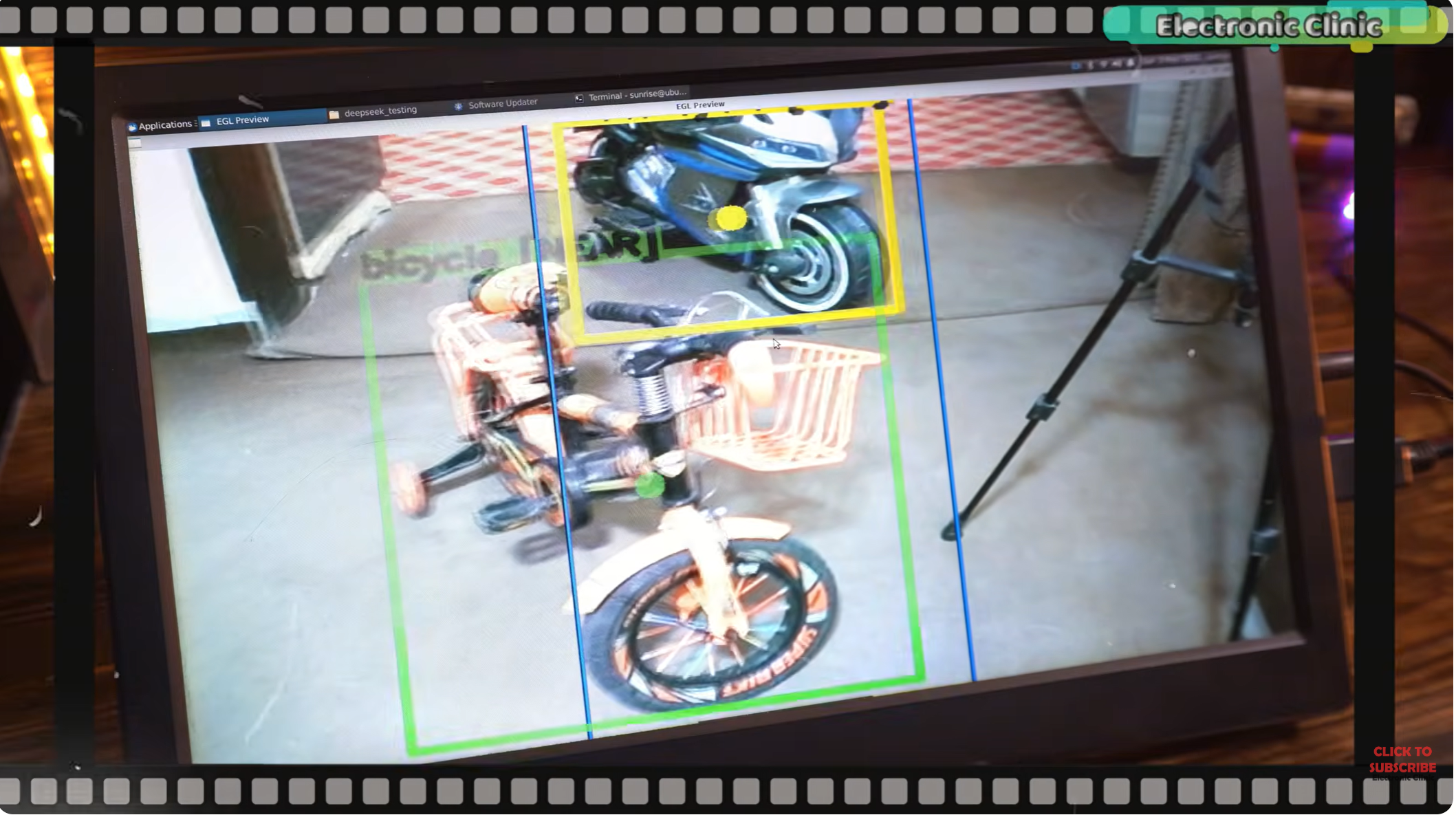
Vision turns the assistant from a voice-controlled switch into a multimodal system. The camera feed is processed by an object detection model. The detected objects are sent into the assistant as visual context, so when the user asks, “What objects can you spot?”, the answer is grounded in what the camera sees.
This design also makes action responses more useful. If the current scene contains a bicycle, the assistant can mention the bicycle when describing the environment. If the user asks it to take a picture, the system can save the current camera frame with OpenCV. If a future version connects motors, alarms, or other devices, the same pattern can connect vision to action.
RDK X5 is well suited for this workload because the board is designed for edge perception. It supports advanced models and robotics algorithms, and its BPU can accelerate AI workloads directly on the device. That means the assistant does not need to send every frame to a cloud service just to understand basic scene context.
Control Real Hardware
The LED test is simple, but it proves the most important part of the system: natural language can trigger a physical output. When the user asks for the light to turn on, the AI chooses the LED-on action. The local code sets the GPIO pin high. When the user asks to turn it off, the code sets the pin low.
This is a small action with a large implication. The same architecture can control relays, motors, robot arms, sensors, indicators, or any other device connected through the board’s I/O. Once intent mapping is reliable, new capabilities can be added by defining new actions and implementing the corresponding local function.
The project also supports camera capture. When the user says “snap a quick photo” or “take a picture,” the assistant does not need those exact phrases in code. The model identifies the intent and calls the capture action. The current frame is saved by OpenCV. The assistant can then respond with speech, confirming that the action was completed.
Generate Natural Voice
Voice quality affects how the assistant feels. A robotic response can make even a smart system feel unfinished. ElevenLabs text-to-speech provides a more natural voice output, with support for different voices, accents, and speaking styles. A project can use a standard voice ID, choose a voice that fits the assistant’s personality, or experiment with custom voice cloning when appropriate permissions and safeguards are in place.
The voice ID is stored in the project configuration and used when converting the model’s response into speech. API keys should be stored securely and never exposed in public code, logs, or videos. For a hardware assistant, this security practice matters because the project often mixes local code, cloud APIs, and visible demos.
Natural voice output makes long responses easier to follow. It also makes the assistant feel less like a command-line tool and more like an interactive device. The assistant can answer factual questions, tell a story, translate text, or confirm hardware actions in a voice that matches the product experience.
Test the Assistant Like a Real User
A good test set should include more than perfect commands. Try direct hardware commands such as “turn on the light” and “turn it off.” Try casual variations such as “light, please” or “kill the light.” Try vision prompts such as “what objects can you spot?” Try action prompts such as “take a picture.” Then test conversational prompts, jokes, translation, long stories, and deeper questions.
These tests reveal whether the assistant can stay coherent, understand varied language, and choose actions only when appropriate. They also show where the system prompt needs refinement. If the assistant talks instead of acting, the action definitions may need to be clearer. If it acts too aggressively, add rules that require the user to be explicit before controlling hardware.
The long-response tests are also valuable. Many assistants become repetitive or lose structure during long answers. A strong setup should maintain coherence, complete the response, and return to the ready state for the next command.
Save Conversation Data Carefully
The project can automatically save audio conversations. That is useful for debugging speech recognition, improving prompts, and reviewing failures. It also requires responsible handling. Audio recordings may contain personal information, so storage should be intentional, visible to users, and protected.
For development, save logs in a clear project directory and avoid uploading them automatically. For a product, add user controls for recording, retention, and deletion. A multimodal assistant becomes more powerful when it can remember context, but it must also respect privacy and security.
Build Toward More Capable Assistants
The LED and camera demo is only the first step. The same architecture can support a desk robot, a vision assistant, a smart lab tool, an educational kit, or an accessibility device. Add more actions, more sensors, and more structured visual context. Use the RDK X5 interface set for expansion, and keep the action layer clean so new hardware functions can be added without rewriting the conversation logic.
The most important design choice is grounding the AI in real device capabilities. The model should know what it can do, what it cannot do, and when it should ask for clarification. RDK X5 provides the edge AI and hardware base; the assistant logic turns that base into an interactive system.
The Bottom Line
With RDK X5, DeepSeek, ElevenLabs, GPIO, and camera input, an AI assistant can understand natural speech, see the scene, and control real hardware. Start with a small action set, test real language variations, and expand from there.